
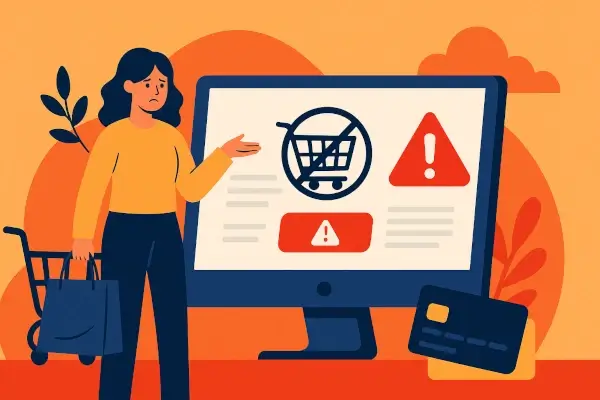
Broken checkouts lead to lost transactions, drain revenue, undermine customer trust, and damage brand credibility. Unfortunately, most companies don't realize their checkout is failing until sales drop or customers start complaining.
According to statistics, technical issues cause checkout abandonment in at least 17% of cases. This means nearly one-fifth of lost conversions are preventable. For any online business, even a small checkout failure can result in significant revenue loss.
Key Takeaways
- Broken checkouts go unnoticed for hours or days, resulting in revenue loss.
- Technical failures account for a measurable share of all cart abandonment.
- Most businesses detect issues only after customers complain or revenue drops.
- Transaction monitoring catches failures the moment they happen.
- Monitoring tools pay for themselves by preventing even a single major outage.
Table of Contents:
What Is a Broken Checkout?
How Checkout Failures Happen
The Hidden Costs Businesses Overlook
Web Transaction Monitoring: What It Is and How It Works
Early Detection vs. Late Discovery: Why Timing Matters
Key Features to Look for in a Good Monitoring System
Who Needs Web Transaction Monitoring the Most
Conclusion
FAQ
What Is a Broken Checkout?

A broken checkout is a situation where a customer attempts to purchase but can't complete the transaction due to technical, system, or experience-related errors.
These failures may show up as:
- Buttons that don't respond
- Payment forms that fail to load
- Shipping calculators stuck in loops
- Discount codes are being applied incorrectly
- Pages timing out
- Payment providers returning hidden errors
The checkout is the most fragile part of any online business because multiple systems must work together perfectly. The frontend, backend, payment gateway, fraud checks, inventory APIs, third-party scripts, and device/browser compatibility layers should work properly.
If one of them fails, the entire chain collapses.
How Checkout Failures Happen

The following are some of the ways checkout failures occur.
1. Payment Gateway Disruptions
Payment gateways are at the heart of a checkout flow. Even a slight delay in authorization, fraud screening, or network processing can halt a transaction instantly.
During peak traffic events, such as sales, holidays, and flash sales, these delays increase and cause sudden drops in successful payments. Customers see loading wheels, "payment failed" messages, or unexplained errors and abandon the purchase right there.
2. API Timeouts and Slow Responses
Modern checkouts rely on dozens of APIs, including inventory checks, tax calculation, shipping rates, discount engines, address verification, and wallet/payment provider APIs.
When one of these slows down or times out, the whole checkout sequence freezes. A user doesn't know which API failed. They only experience a stalled page. This is one of the most common silent killers of conversions.
3. Session & Cart Validation Errors
Carts rely on session tokens, cookies, and synchronized data across multiple systems. When tokens expire, session files become corrupted, or cart data fails to update in real time.
Customers may experience unpredictable behavior, such as items disappearing, prices changing, or error messages blocking final submission. These errors damage trust, and users might abandon a site entirely.
4. Front End Bugs & Device-Specific Glitches
A checkout might work flawlessly on desktops but may break on smartphones. Broken scripts, UI rendering issues, browser incompatibility, and outdated code can all block the payment process.
These failures are dangerous because they affect only specific device/browser combinations. This makes them almost impossible to catch without proper monitoring.
5. Third-Party Dependency Failures
Checkouts are tightly integrated with third-party components, including analytics scripts, tag managers, A/B testing tools, fraud solutions, chat widgets, and recommendation engines.
When any of these tools slow down or fail to load, they can block or delay critical elements of the checkout page. A single malfunctioning script can break the complete flow.
The Hidden Costs Businesses Overlook
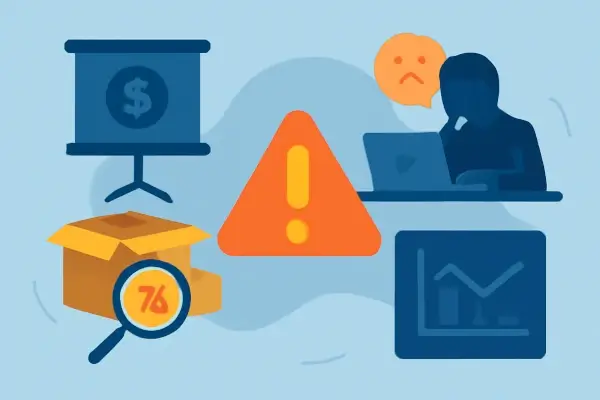
Most teams think a broken checkout only costs the value of the abandoned cart. But the real damage goes far beyond a single failed order. Let's look at them in detail:
1. Lost Revenue That Compounds Over Time
When a checkout breaks, you lose the lifetime value of that customer. A person who fails to complete an order may not return and trust your store again.
Also, the person can immediately find a more trustworthy competitor. This may lead to long-term loss if everyone faces the same problems.
2. Paid Campaigns That Burn Money Instead of Converting
If your checkout fails, you won't be able to convert anyone who comes through the paid campaigns you run. That means every click you pay for is essentially money wasted.
Brands end up spending thousands daily on Meta, Google, and influencer campaigns while their checkout quietly drops transactions.
3. Support Tickets Spike Overnight
When users can't pay, they try again. And again. And then they contact support. And your help desk gets flooded with messages like "Payment isn't going through", "Your site is not working", or "I can't place my order".
This leads to slower response times and overwhelmed agents.
4. Damage to Brand Trust and Repeat Sales
Customers rarely forgive failed payments. It creates a moment of friction that makes the brand feel unreliable.
Even loyal customers hesitate to come back after a bad checkout experience. They may switch to competitors, leave negative reviews, or warn others. This kind of trust damage causes a huge loss.
5. Internal Chaos Nobody Tracks
A broken checkout triggers a chain reaction inside a company. Marketing teams blame the product teams. Product teams blame engineering teams. The engineering team blames the payment gateway.
And nobody knows exactly when the issue started, how many customers it affected, or how much revenue was lost.
6. Missed Insights That Could Have Prevented Bigger Losses
When checkout issues aren't detected on time, teams miss critical patterns such as payment gateway outages, slow page loads, browser-specific failures, or coupon bugs.
Without monitoring, these insights remain unknown, and the same failures keep repeating.
Web Transaction Monitoring: What It Is and How It Works
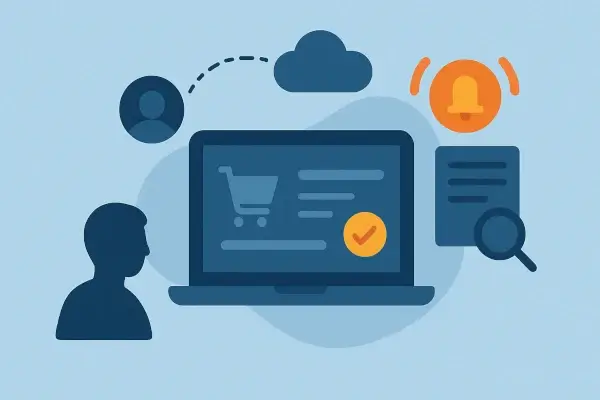
Web transaction monitoring simulates real customer actions in your store, including adding items to a cart, applying discounts, choosing shipping, entering details, and completing payment.
These simulated journeys continuously test the checkout flow to identify technical failures, bottlenecks, or integration issues as they occur. They function as a virtual shopper that validates your checkout process around the clock.
How It Works Behind the Scenes
1. Synthetic test transactions run every few minutes
They mimic a real shopper's journey to catch errors before customers do.
2. Every step of the checkout is tracked
Form loads, coupon validations, API responses, payment gateway redirects, everything is monitored individually, so failures don't hide behind vague error messages.
3. Instant alerts notify your team
The moment a step breaks, teams get notified through Slack, email, or dashboards.
4. Root cause insights help fix issues quickly
Instead of guessing, engineering teams receive clear logs on where and why the failure occurred. In the same way an AI detector analyzes patterns to flag hidden issues in text, web transaction monitoring tools analyze every step of the checkout to pinpoint failures that human teams would easily miss.
This is also where advanced checks, such as email round-trip monitoring, become valuable. It ensures that system-generated emails, such as OTPs, order confirmations, and payment verification messages, reach inboxes.
Web transaction monitoring acts like a 24/7 quality assurance engineer who never sleeps, never misses a step, and never overlooks an issue.
Early Detection vs. Late Discovery: Why Timing Matters

When it comes to checkout failures, timing is everything. A problem detected early saves revenue while a problem detected late multiplies losses.
With Early Detection:
- Issues are caught within minutes.
- Customers never experience a bug.
- Paid campaign budgets stay protected.
- Support ticket volume remains stable.
- Engineering fixes issues before damage spreads.
Outcome: Minimal loss. Better brand trust. Smoother growth.
Late Discovery: What Happens Without Monitoring
Consider a situation where hours pass. Then a whole day. Ads keep running. Customers keep trying. Support gets flooded. Your conversion rate tanks. Teams scramble trying to figure out what broke. By the time the cause is identified, the financial and brand damage is irreversible.
The difference between early and late detection can amount to hundreds of thousands of dollars in lost revenue.
Key Features to Look for in a Good Monitoring System
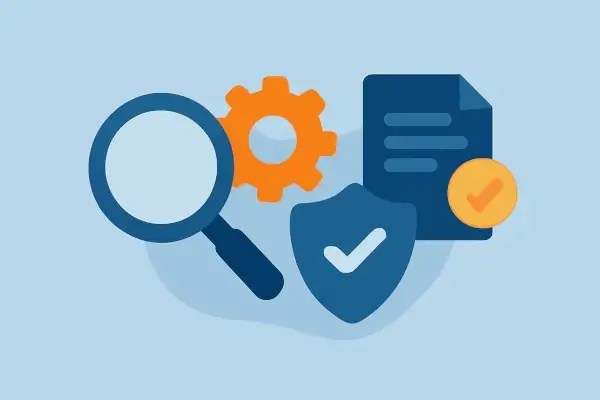
Choosing the right system determines how much value you extract. The best monitoring platforms offer more than simple uptime checks.
1. Full Funnel Synthetic Testing
Should mimic add to cart > checkout > payment.
Anything less leaves blind spots.
2. Browser & Device Variations
Failures often occur only on Safari or only on mobile. Your monitoring tool should catch those.
3. Payment Gateway Deep Monitoring
It should identify:
- API timeouts
- Redirect failures
- Authentication issues
- UPI delays
- Card decline patterns
- 3DS failures
4. Real-Time Alerts (Seconds, Not Hours)
Slack, emails, SMS, whatever ensures an instant response.
5. Email & Communication Reliability Checks
A monitoring system should also have checks like email blacklist monitoring, which ensures your store's emails aren't landing in spam and breaking verification steps.
6. Clear Logs & Root Cause Reports
Teams should instantly understand what failed and why.
7. Ability to Run Custom Scenarios
Your monitoring should mirror real customer behavior, including the use of discounts, coupons, shipping rules, and COD checks.
Who Needs Web Transaction Monitoring the Most

Web transaction monitoring is critical for every business.
1. D2C and eCommerce Stores
These brands run ads continuously. A single hour of checkout failure during a high spend campaign can destroy an entire month of ROAS.
2. Subscription Platforms
Membership renewals, payment retries, and billing workflows must remain flawless, or any glitch risks recurring revenue.
3. Marketplaces
Multi-vendor platforms rely on high transaction volume. Even a 1% failure rate can cause cascading losses.
4. SaaS Platforms
Onboarding payments directly impact growth metrics. Failed payments = failed conversions.
5. High Volume Seasonal Brands
Festive sales, Valentine's week, Christmas drops, these businesses can't afford a single glitch during peak hours.
6. Global Brands Selling in Multiple Regions
Cross-border payments fail more often. Monitoring ensures stable performance across currencies and gateways.
If your business earns money online, you need web transaction monitoring.
Conclusion
Broken checkouts can drain revenue and impact every corner of your business. From ROAS to customer support and brand trust, a single unnoticed failure can ripple through your entire system.
Web transaction monitoring protects your revenue, safeguards your growth, and gives teams the confidence that your buying experience is always working as expected.
Brands that monitor proactively will outperform brands that react slowly.
Frequently Asked Questions (FAQ)
Not at all. Even smaller brands lose meaningful revenue when checkout issues go unnoticed. Transaction monitoring protects every business where online payments matter, regardless of size. Most modern systems run synthetic transactions every few minutes. This helps detect issues in real time, long before customers start complaining or conversions drop. No. Synthetic tests run on external servers and don't touch your real storefront traffic. They quietly monitor performance in the background without affecting site speed. It can catch payment gateway issues, API errors, redirect loops, slow pages, coupon problems, OTP failures, and browser-specific glitches. Basically, anything that stops a customer from paying. Often, far more than the tool's annual cost. Preventing even a single hour of checkout downtime can save thousands, especially during paid campaigns or high traffic periods.Is transaction monitoring only for large businesses?
How often does a monitoring system test transactions?
Does web transaction monitoring slow down my website?
What types of failures can it detect?
How much revenue can monitoring save?


 Copyright 2000-2026, WebSitePulse. All rights reserved.